Guide to Long Exposure Photography on the iPhone 12
 Therfilm Studio

Long exposure photography is an advanced camera feature, but today I’ll show you how to take long exposure photos on the iPhone 12—a technique not everyone knows about—so you can create more artistic images.

How to Take Long-Exposure Photos on the iPhone 12 Using the Deep Fusion Feature
Starting with the iPhone 11 and iPhone 12, the Deep Fusion feature has been added to help make photos brighter in low-light conditions. By taking advantage of this feature, we can create long-exposure photos that result in incredibly interesting and artistic images.

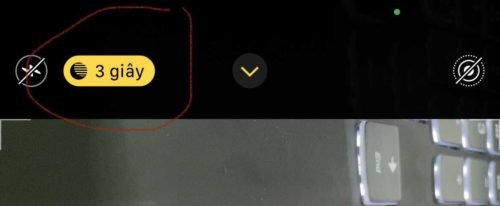
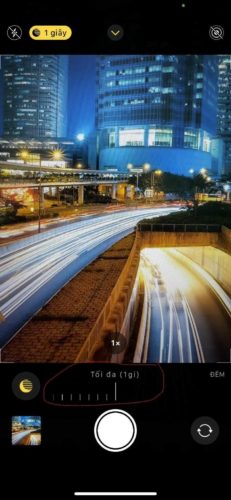
Guide to taking long-exposure photos on the iPhone 12 and iPhone 11 using the Deep Fusion feature:
- Open the phone’s camera app
- Tap the Deep Fusion icon (the crescent moon icon); it’s usually activated in low-light conditions. The darker the environment, the longer the exposure time. So choose a spot that’s slightly dim to get a longer exposure.
- Drag the timer to the end; the number of seconds will vary depending on the environment
- Tap the shutter button and hold the phone steady until the timer reaches 0
- Wait for the phone to process the image
Once the phone has processed the image, you’ll have a stunning long-exposure photo that’s just as beautiful as one taken with a professional camera. You can further adjust the colors using third-party apps to make it even more magical.
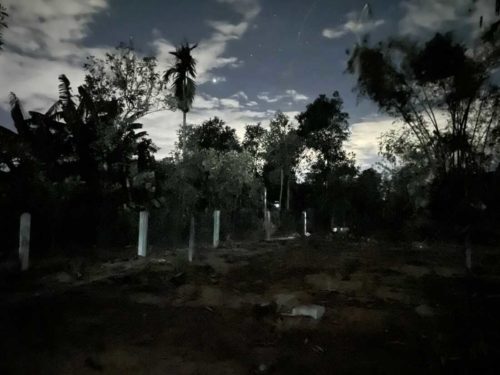
Tips for achieving the best results when taking long-exposure photos on an iPhone
To get the most out of the long-exposure feature on the iPhone 12 and iPhone 11, please keep the following essential tips in mind:
- Wipe the camera lens clean before shooting
- Use a tripod to stabilize your phone
- Choose a shooting angle in areas with plenty of streetlights, stars, passing cars, etc.
- Take multiple shots and experiment with different angles
These are the methods for taking long-exposure photos on the iPhone 12 and iPhone 11 so you can get creative with your phone. If you find this helpful, please share this article with others so they can try it out too.

Therfilm Media Contact Information:
- Address: Hoi An, Quang Nam – Son Tra, Da Nang
- Phone: 0962307312
- Website: therfilm.com